Sample Budget Spreadsheet: What a Filled-In Example Looks Like
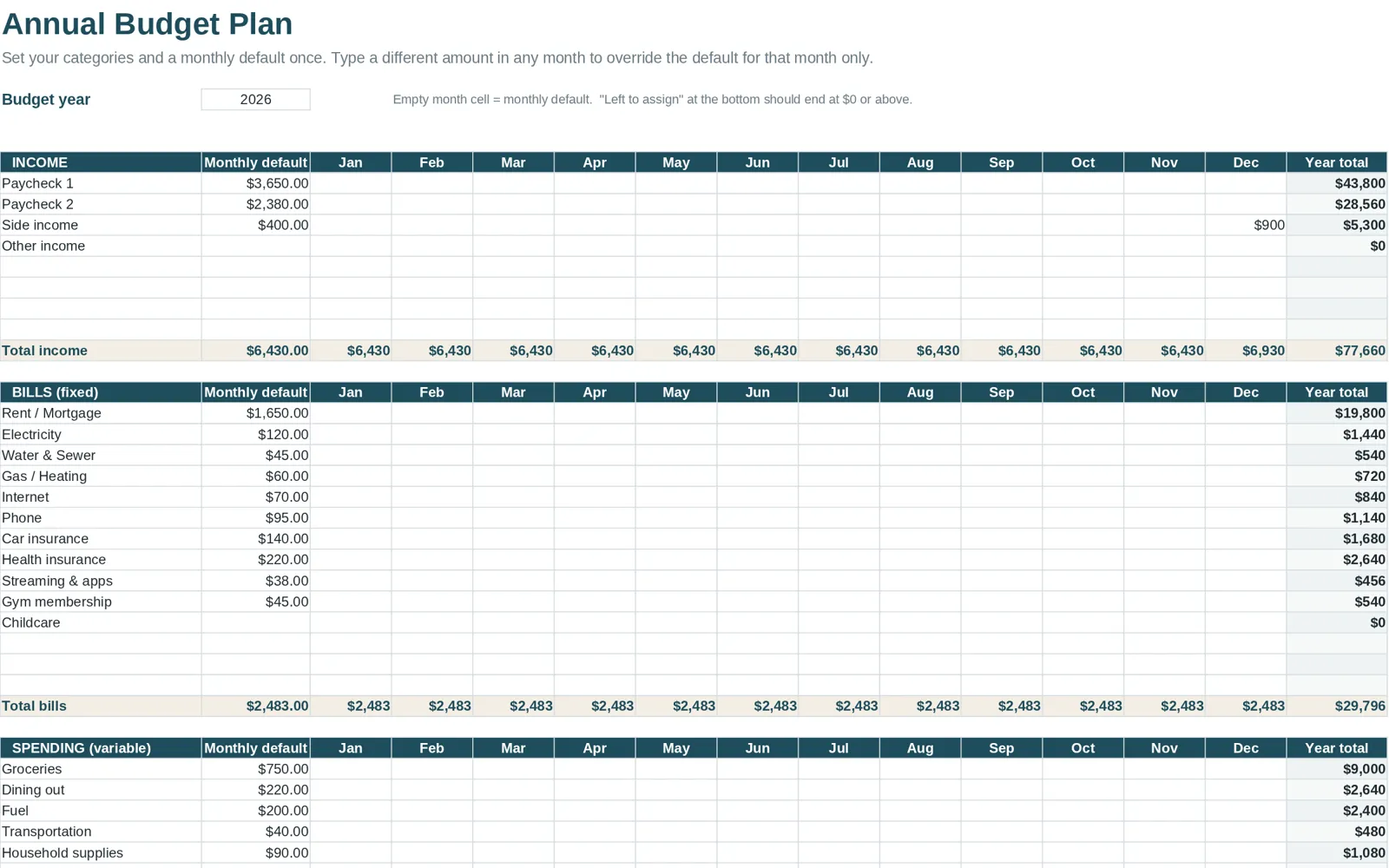
A sample budget spreadsheet is a budget that has already been filled in with made-up income, bills and purchases, so you can see how every part behaves before you enter your own. Searches for budget examples usually come from people who want to know what they are building toward. Below is a tour of what a complete example contains, tab by tab, using the example workbook that comes with Clear Budget Planner as the model. The numbers in any sample are illustrative only.
Why look at an example first
A blank workbook can be confusing. You see empty cells and cannot tell which ones to type in and which ones calculate. A filled example answers questions quickly:
- What does "planned versus actual" look like with real-looking entries?
- How does a purchase typed in March change the dashboard?
- What does a debt payoff schedule do with a few balances?
- How long is a good transaction log after a month of use?
Open the example, change a number and see what moves. That is the fastest way to learn a layout.
The tour
Start Here
A short page with the setup steps. In this workbook, a Start Here page walks through five steps, from opening the file to entering your first numbers.
Annual Plan
This is where the year is set up. The sample shows income, fixed bills, variable expenses, savings and debt, each with a budget amount for the category. You change the amounts here, and the monthly tabs use them. For why a yearly plan matters, see the yearly budget template guide.
Monthly tabs, January to December
Twelve tabs, one for each month. Each has a transaction log, with room for up to 150 transactions, and a category summary showing planned, actual and what is left. In the example, you can see a month of entries and how the totals respond.
Dashboard and Year Summary
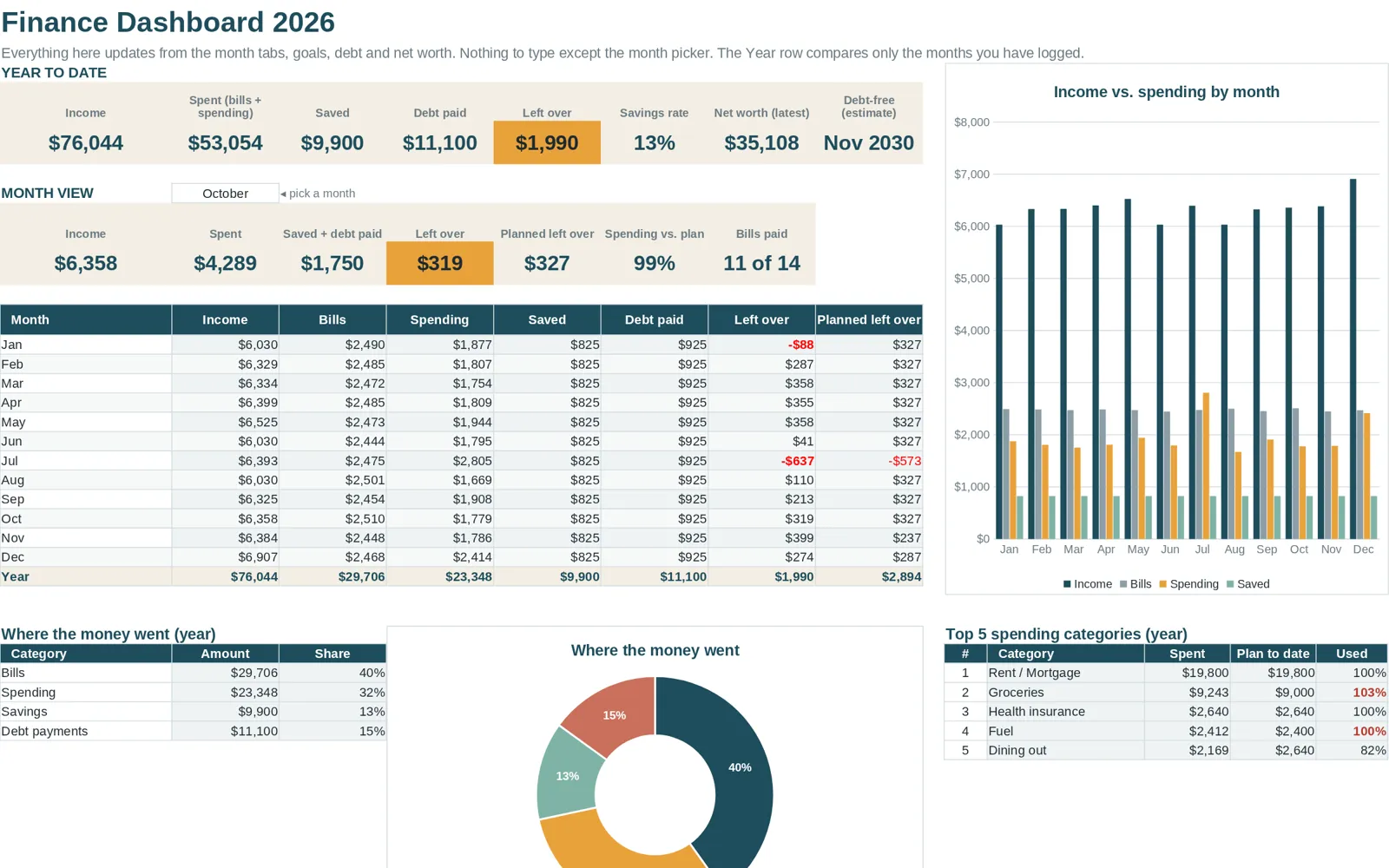
The Dashboard rolls the twelve months into a running picture of what has been spent, saved or earned in each category, with charts. The Year Summary shows the same data in table form, month by month. In the example, these tabs show what the whole year can look like once the months are filled in.
Bill Tracker
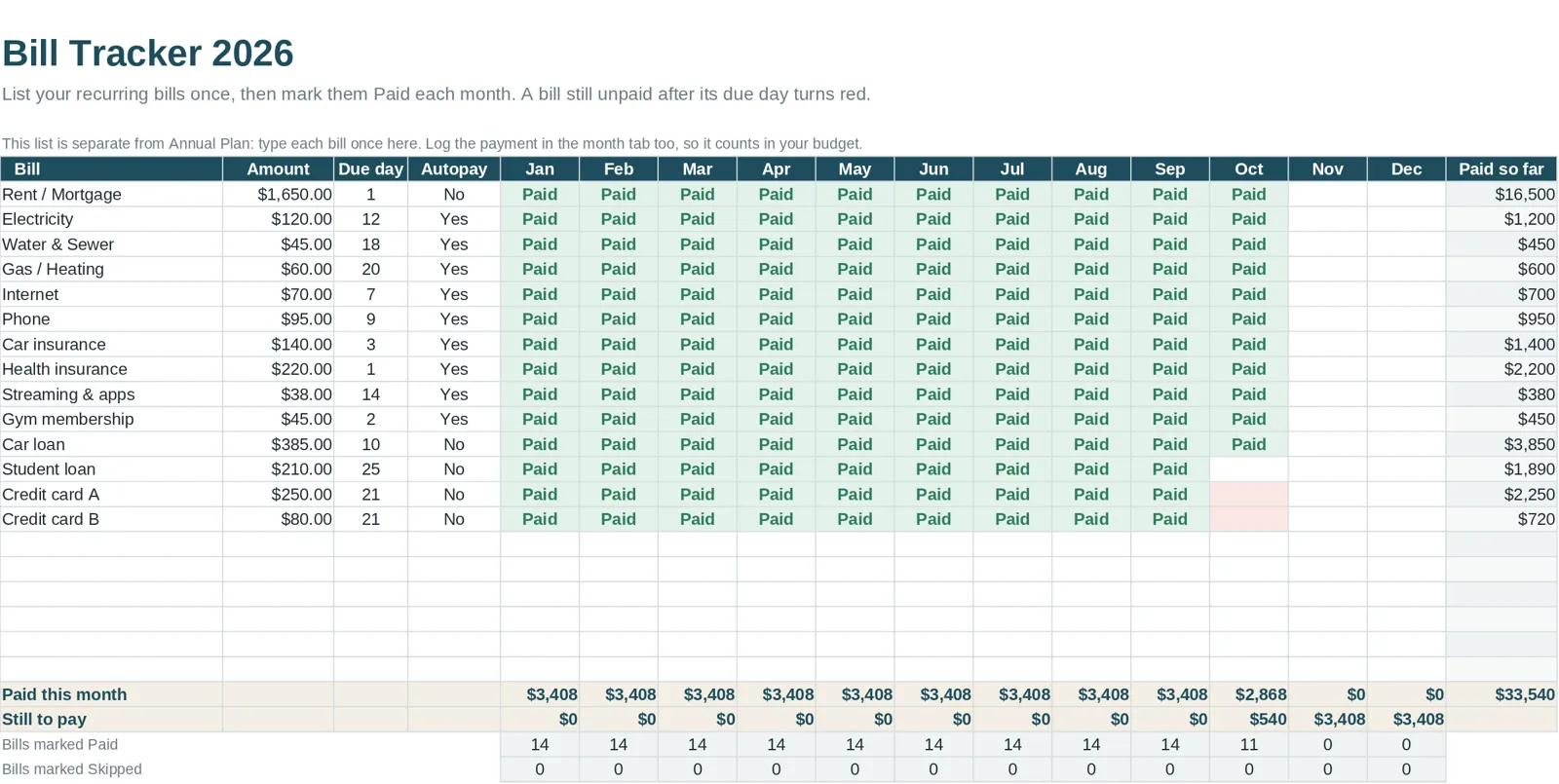
A list of what is due, what is paid and what is coming. In the example, some bills are marked paid and others pending, which shows how the status changes your view of the month. See how to build a bill tracker for the underlying idea.
Savings Goals
Named goals such as a vacation, holiday spending or house projects, with money set aside a little each month and progress shown.
Debt Payoff
You enter debt details and choose between the Snowball method (smallest balance first) and the Avalanche method (highest interest rate first). The tab produces a payoff plan with a payoff date and total interest, plus progress charts. Seeing the sample debts shows how the two methods differ.
Net Worth
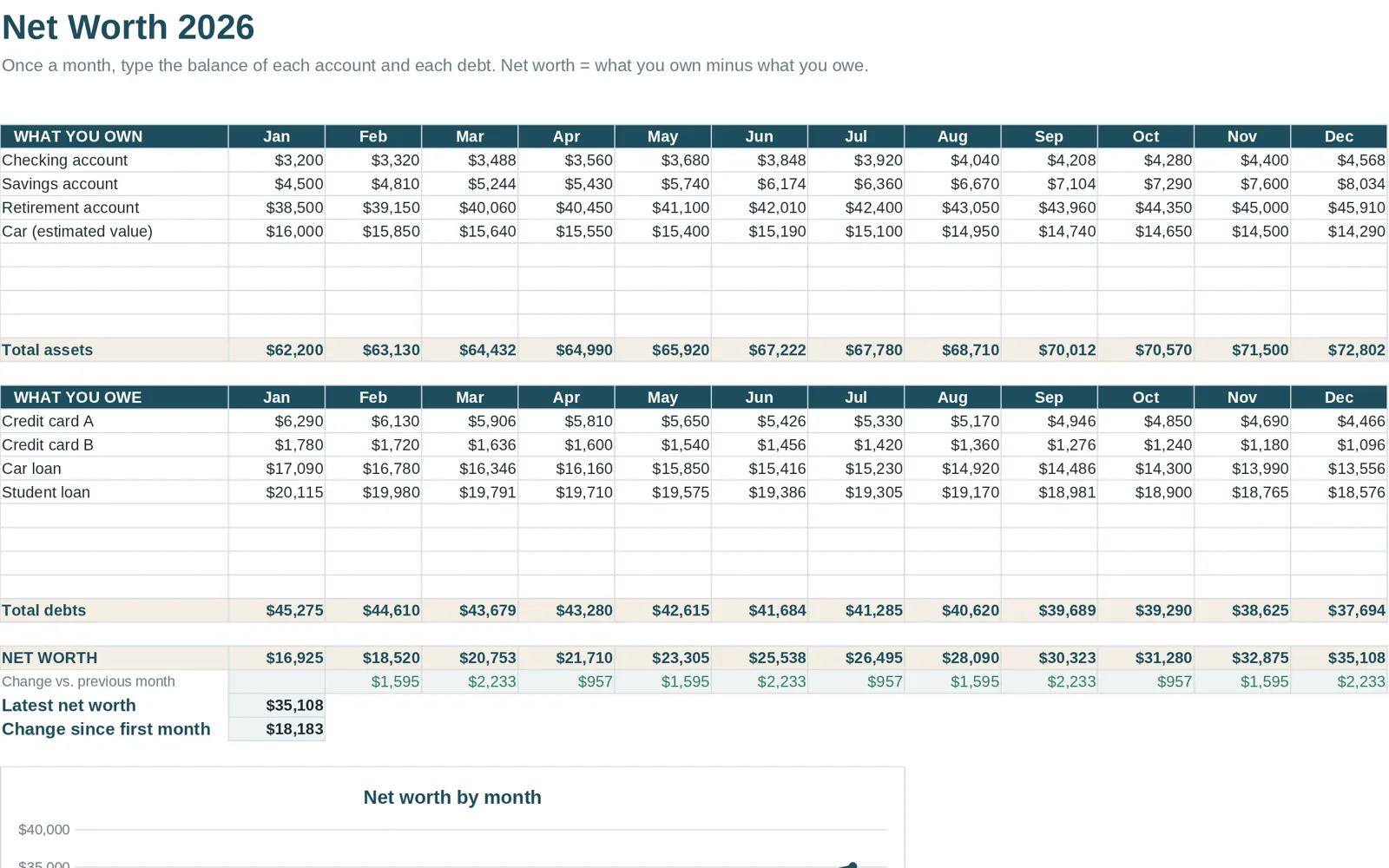
Assets and liabilities, updated monthly, so you can watch net worth over time. The sample has a few months of entries to show the trend.
What to look for in any example
When you review a sample from any source, check:
- Are the inputs obvious? You should see at once where to type.
- Do changes flow through? Change a purchase and check the summary.
- Is the language plain? Labels should make sense without a manual.
- Is it realistic? A sample that skips irregular costs hides the hard part.
- Can you start your own quickly? A separate blank version saves clearing the sample by hand.
Blank, example, guide
The workbook is delivered as three files: the blank planner, the filled-in example and a Getting Started guide. The blank is for your numbers; the example is for learning; the guide shows how to open the file in Google Sheets or Excel. For the steps on importing, see how to open an Excel file in Google Sheets.
If you would rather build your own
You can create a similar layout from scratch with a step-by-step spreadsheet build. It takes longer, but you learn every formula. Whichever route you take, an example you can compare against helps.
About Clear Budget Planner
Clear Budget Planner is a 21-tab workbook for Excel and Google Sheets. It comes as a blank workbook and a filled-in example, plus a Getting Started guide, as a one-time purchase. It is a spreadsheet for organizing your own numbers, not financial advice.
To compare it with other kinds of budget tools, read the best budget spreadsheets compared.