How to Make a Budget Spreadsheet in Excel or Google Sheets
To make a budget spreadsheet, list your income, list your expenses by category, set a planned amount for each, add a log where you record real purchases, and use a SUMIF formula to compare them. You can do this in Excel or Google Sheets in about an hour. The steps below build a simple version that works.
Step 1: Decide what you want it to tell you
Pick the question first. "Where does my money go?" needs a transaction log. "Am I on track?" needs planned versus actual. "Can I afford X by December?" needs a yearly view. A basic build covers the first two.
Step 2: Set up two areas on one sheet
Create a summary area at the top (or a separate tab) and a transaction log below (or on its own tab).
Summary columns:
| Category | Planned | Actual | Left |
|---|---|---|---|
| Rent | 1,200 | ||
| Groceries | 450 | ||
| Transportation | 150 |
Log columns:
| Date | Description | Category | Amount |
|---|
The numbers above are examples. Use your own.
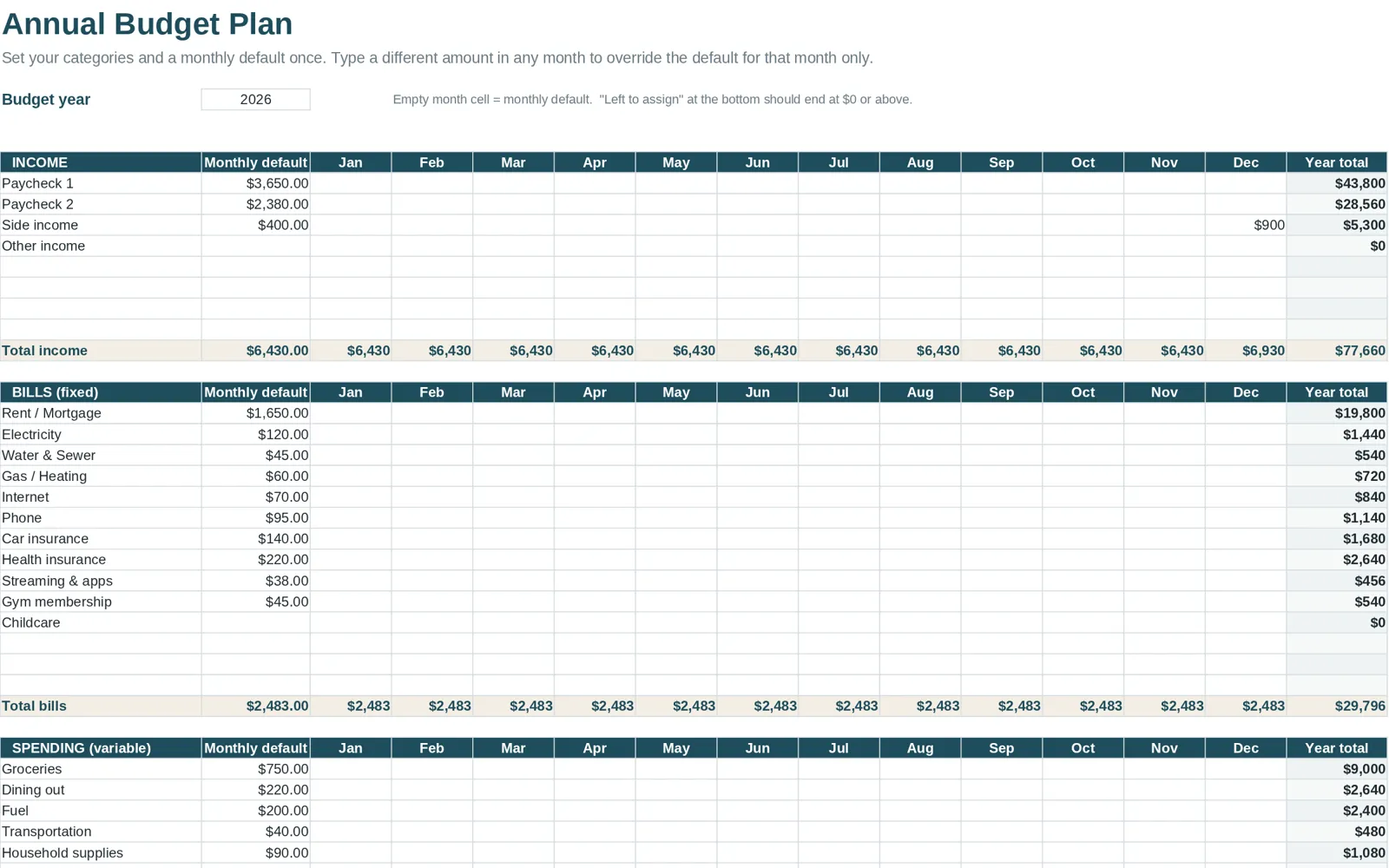
Step 3: List income and fixed bills
Start at the top with your take-home pay. Then list the bills that stay about the same each month: housing, utilities, insurance, loan payments and subscriptions. Your bank statements for the last two or three months will tell you the real amounts.
Step 4: Add variable categories
These change every month: groceries, gas, dining out, entertainment, personal care, clothing, household items. Start with ten to fifteen. You can split a category later if it hides too much.
Include these often-forgotten ones:
- gifts and holidays
- car maintenance
- medical co-pays
- a "miscellaneous" line, capped at a small amount
Step 5: Add the formulas
In Google Sheets or Excel, the Actual cell for each category adds up the matching rows of the log:
``` =SUMIF(Log!C:C, A2, Log!D:D) ```
This means: look in column C of the Log for the category in A2, and add the matching amounts from column D. The Left cell is simply:
``` =B2 - C2 ```
Then add a total row with `=SUM(...)` for each column. Format the Left column so negative numbers show in red.
For the category column in the log, use data validation (Data > Data validation in Sheets, or Data > Data Validation in Excel) to create a dropdown from your category list. That prevents typos that would break the SUMIF.
Step 6: Test it with sample data
Enter five fake transactions and check the totals. If a category's Actual does not change, the category name in the log probably does not match exactly. Delete the test rows afterward.
Step 7: Start logging, then adjust
Enter real transactions weekly. After the first month, compare Planned to Actual and revise the plan. Do not try to get the numbers perfect on day one.
What a basic spreadsheet cannot do (yet)
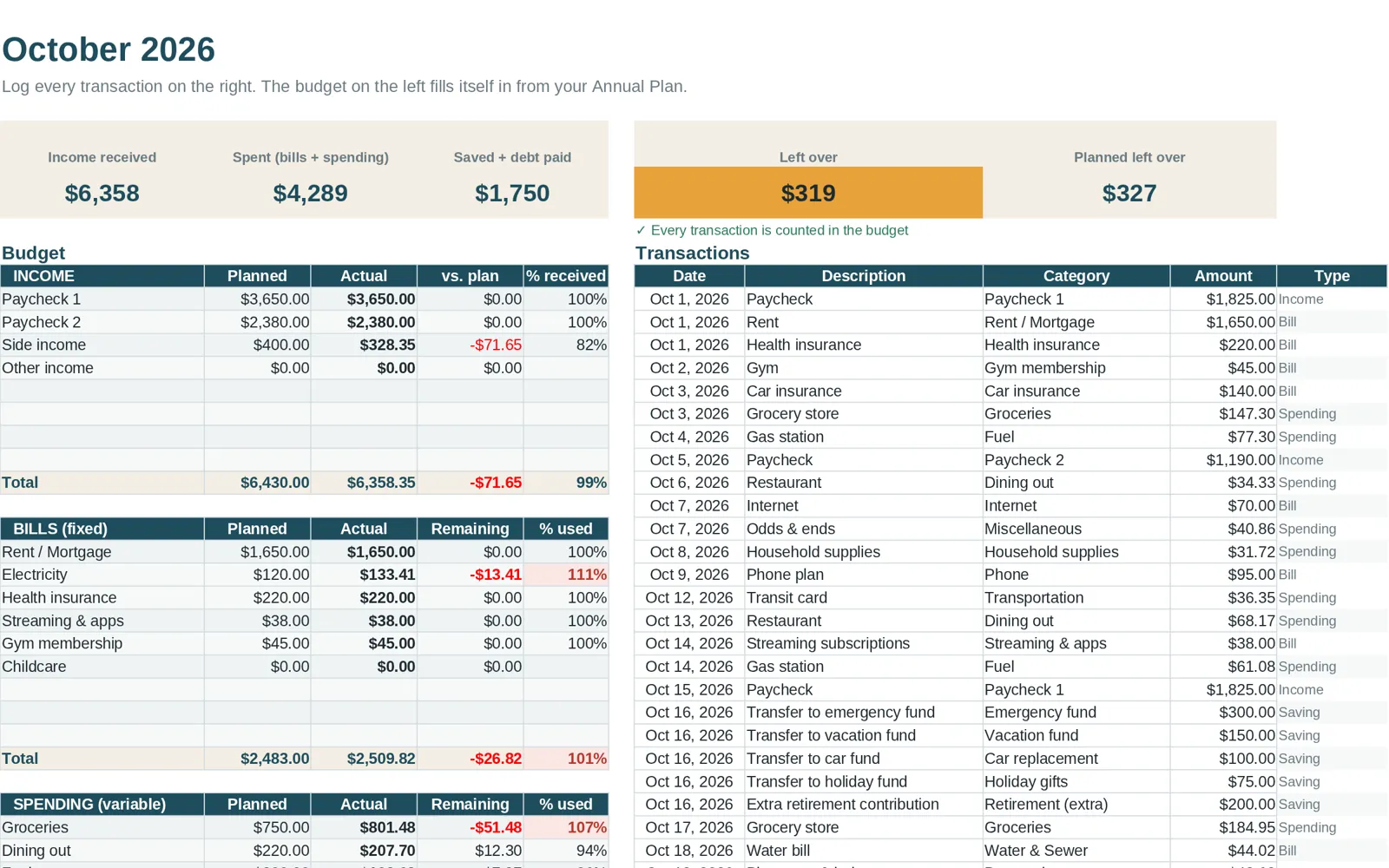
The sheet above works for one month. If you want more, you add pieces:
- Twelve months in one file: duplicate the sheet 11 times and link them to a summary.
- A yearly overview with charts: add a dashboard that pulls monthly totals.
- Bills calendar: a separate tab with due dates and paid checkboxes.
- Debt payoff: a schedule that subtracts payments and interest.
- Net worth: assets minus liabilities, updated monthly.
Each one is doable, and each adds time and chances for formula errors. If you want to see how these pieces look when combined, the sample budget spreadsheet page walks through a finished one.
Common errors when building your own
- Category names do not match. "Grocery" versus "Groceries" breaks SUMIF.
- Ranges too short. If your formula covers rows 1 to 100 and the log grows past 100, new rows are ignored. Use whole-column references or leave extra room.
- Formulas typed over. Protect formula cells or keep inputs in a clearly different color.
- Mixed signs. Decide whether spending is positive or negative and be consistent.
- No backup. Keep a copy of the blank file.
Ready-made option
If you would rather start with the structure built, Clear Budget Planner has the Annual Plan, twelve monthly tabs, Dashboard, Year Summary, Bill Tracker, Savings Goals, Debt Payoff and Net Worth tabs already connected, with up to 150 transactions per month. You get a blank workbook, a filled-in example and a Getting Started guide for opening it in Google Sheets or Excel. It is a one-time purchase.
Build habits around it
A spreadsheet only works if you open it. Pick a weekly time, keep the log short, and review it once a month. For the habit side, read how to track spending. If you are new to budgeting altogether, start with budgeting for beginners, then return here. For a broader view of spreadsheet options, see the budget spreadsheet guide.