Monthly Budget Template for Google Sheets: How to Use One
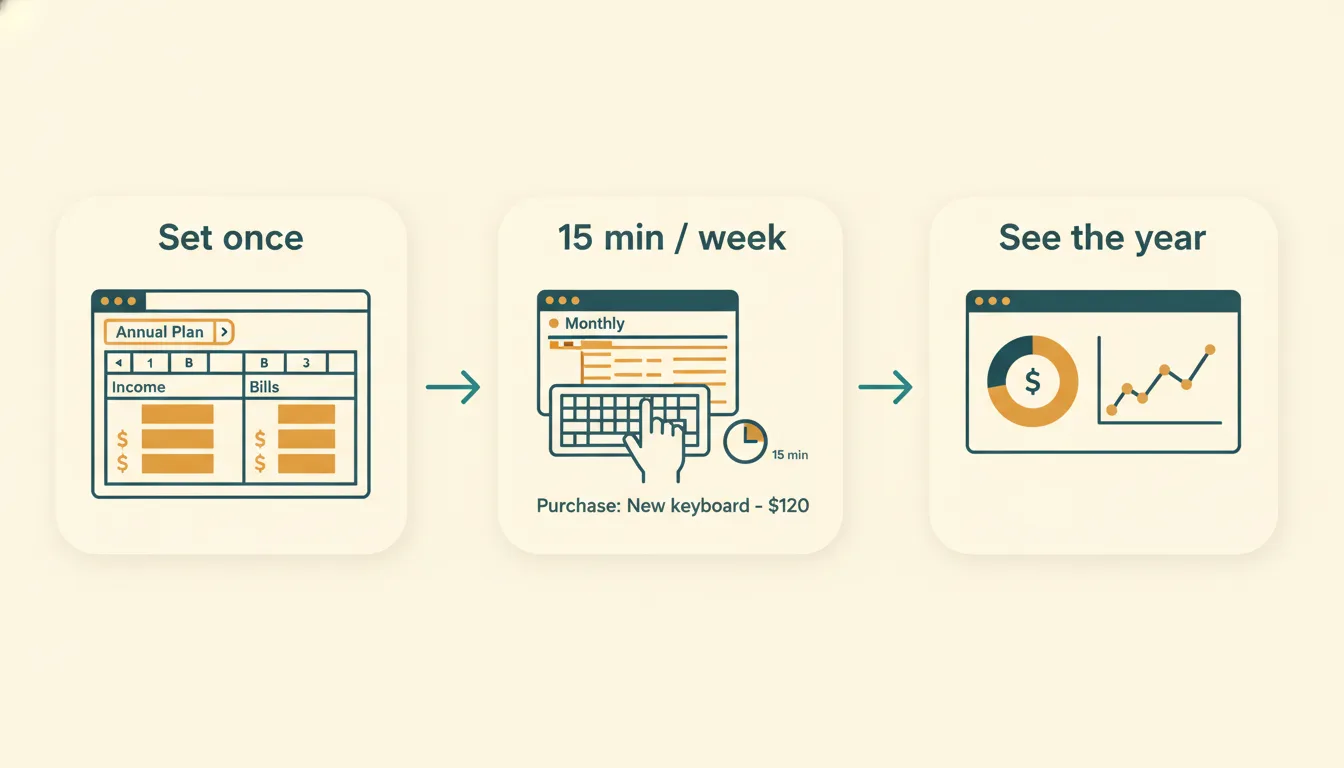
A monthly budget template in Google Sheets works like this: you decide how much to spend in each category, you log every purchase, and the sheet shows what you have left. That plan-versus-actual loop is the entire engine. Everything else, such as charts, colors and extra tabs, is there to make the loop easier to keep up.
How the monthly loop works
- Start with income. Enter your take-home pay for the month.
- Fill in fixed bills. Rent, utilities, insurance, minimum debt payments and subscriptions.
- Set a planned amount for each variable category. Groceries, transportation, dining out, personal, household and so on.
- Log purchases as they happen. Date, amount, category.
- Read the "left to spend" number. It tells you how much room remains in each category.
When the month ends, you compare plan and actual, note what surprised you, and carry that into next month.
Anatomy of a good monthly sheet
| Part | Purpose |
|---|---|
| Income block | Shows what you expect to receive this month |
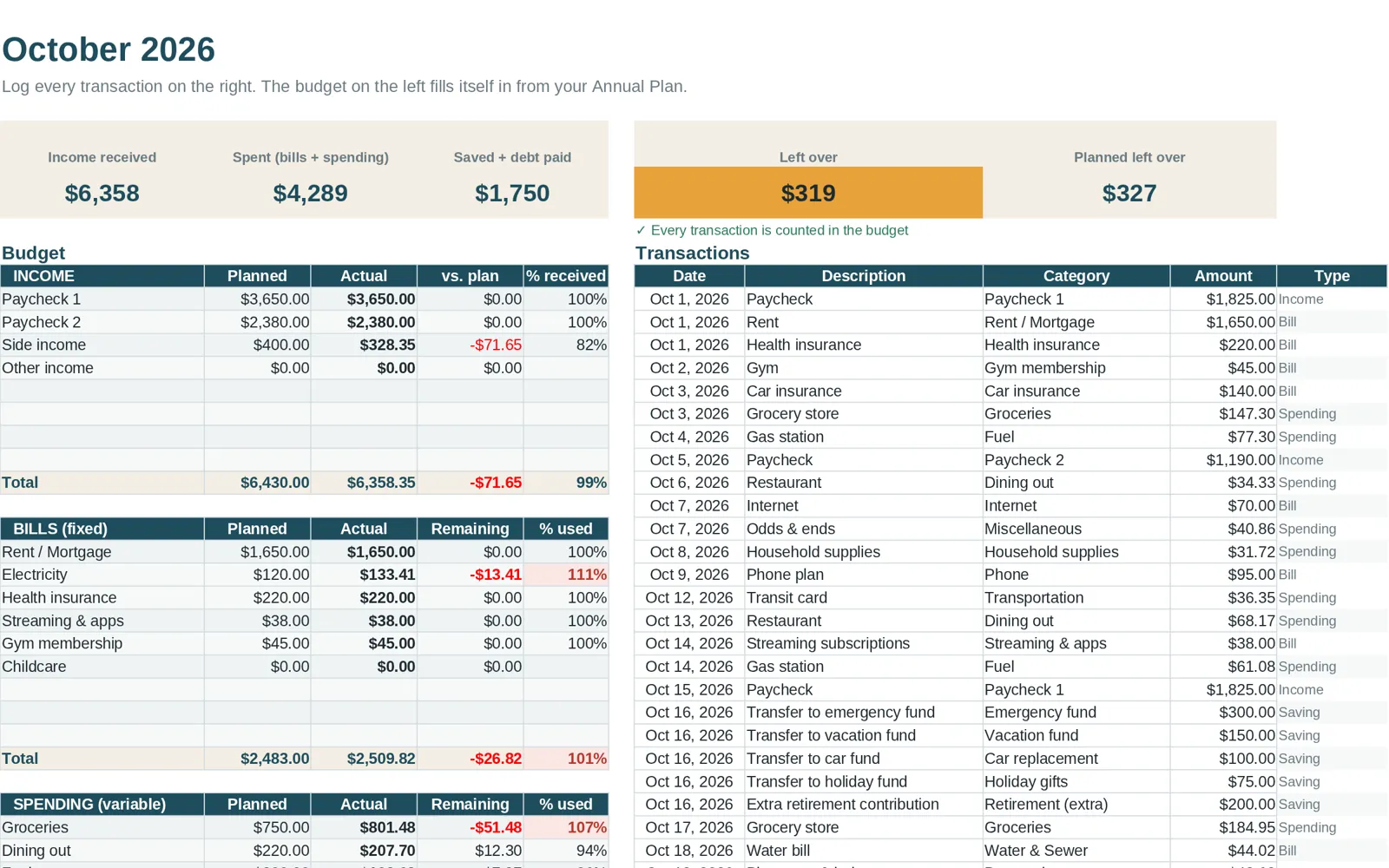
| Category summary | Plan, actual and difference for each category |
| Transaction log | One row per purchase, with a category dropdown |
| Totals | Income minus spending, so you see the month's balance |
The category dropdown in the log matters more than it looks. When categories are chosen from a list, the summary adds them up correctly. When they are typed freely, "Groceries", "groceries" and "grocery" become three different categories and your totals are wrong.
Tracker or template?
People search for both terms, and the difference is small:
- A budget template is the layout and the plan.
- A budget tracker is the habit of recording what you spent.
You need both. A template without tracking is a wish list. Tracking without a plan tells you what happened but not whether it was okay. A good monthly file connects the two so that logging a purchase updates the "left to spend" number right away.
Twelve tabs or one?
Some templates have one sheet that you clear every month. That loses your history. Others give each month its own tab, which has three advantages:
- You keep every month's data in one file.
- A yearly summary can add them up. See the yearly budget template guide.
- You can compare, for example, March with last October without opening an archive.
The cost is a larger file, but a spreadsheet with twelve tabs is still small.
A 15-minute weekly routine
Monthly budgets fail when the log gets behind. Keep it small:
- Pick a day and set a recurring reminder.
- Open your bank or card activity for the past week.
- Enter each transaction with its category.
- Scan the "left to spend" column. Anything near zero?
- If a category is almost used up, decide now whether to move money from another one.
For more on building the habit, read how to track spending.
Dealing with the first month
Your first month will not be accurate. You will forget categories, underestimate some and overestimate others. That is normal and useful. Expect to adjust planned amounts after month one, and again after month three. By month three the plan reflects your life rather than a guess.
Bills in the monthly view
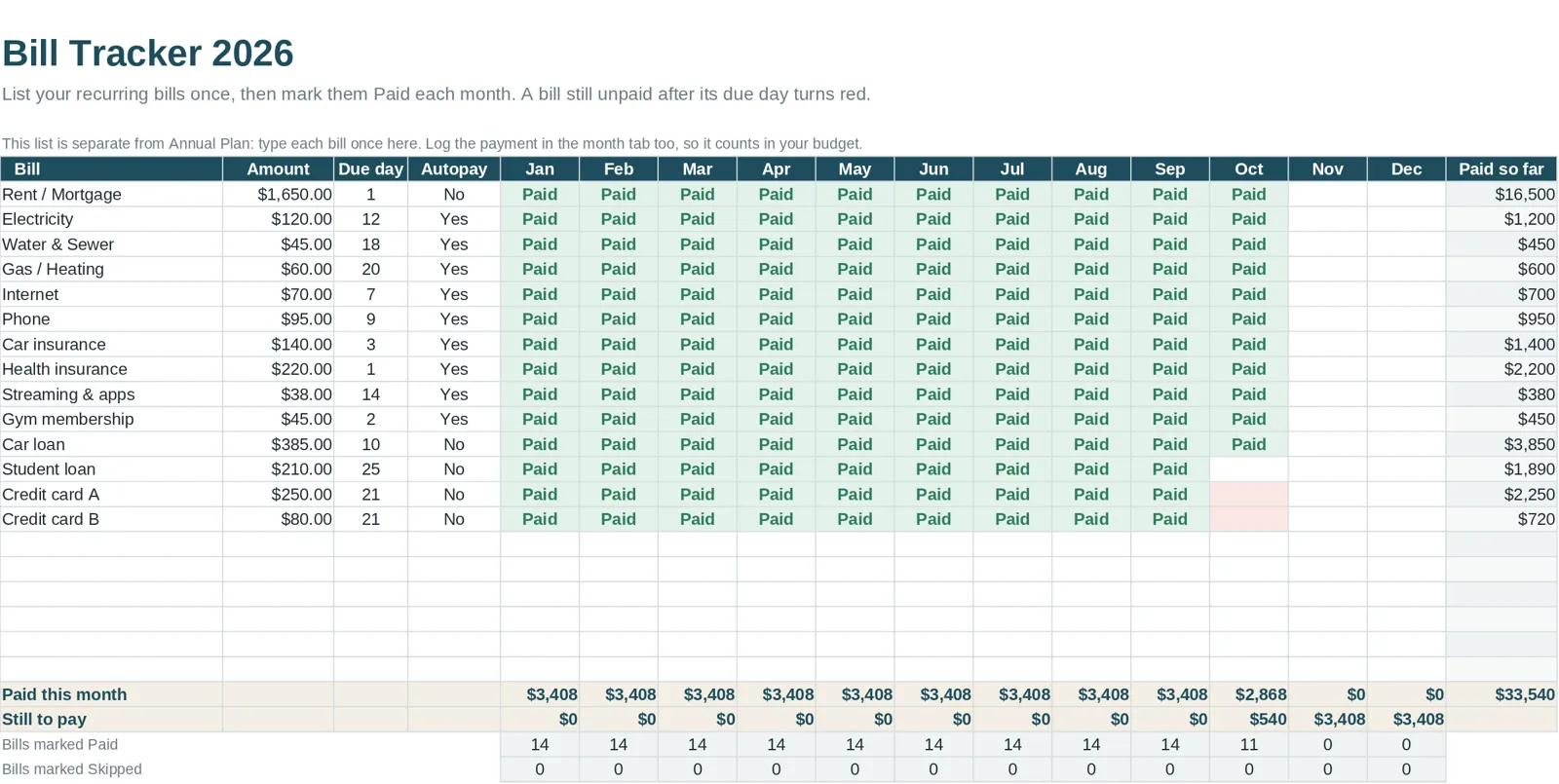
Fixed bills are easy to miss when they are scattered through the log. A separate list of due dates and paid status is easier to read. If your template has a bill tracker, use it; the bill tracker guide shows how to set one up.
Common monthly-budget mistakes
- Planning to the last dollar and never revising. Plans need updates.
- Leaving out irregular costs. They show up in your monthly numbers whether you planned or not.
- Ignoring cash. Log cash purchases too, or the "actual" column understates spending.
- Counting transfers as spending. Moving money between your own accounts is not an expense.
How Clear Budget Planner does it
Clear Budget Planner has twelve monthly tabs, January through December. You enter transactions in the month's tab, and the sheet works out plan versus actual and what is left in each category. Each monthly tab holds up to 150 transactions. An Annual Plan tab feeds the planned amounts, and the Dashboard and Year Summary roll up all twelve months. A filled-in example workbook shows how a month looks with real-looking data, and the Getting Started guide covers opening the file in Google Sheets or Excel.
Next step
Choose your categories, keep them to a manageable number, and log for one week before judging the system. For help choosing a template, see the Google Sheets budget template guide.