How to Budget a Paycheck, Step by Step
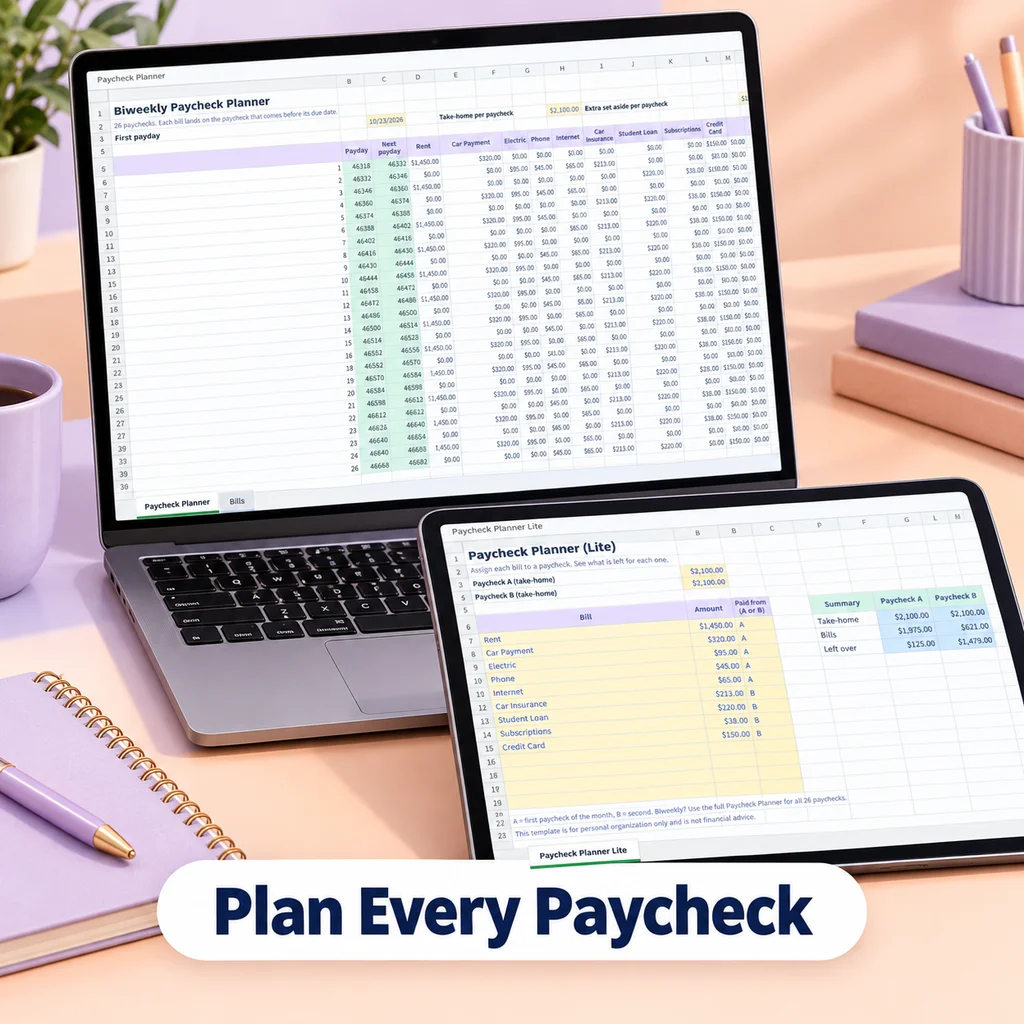
To budget a paycheck, list what has to be paid before your next payday, assign the rest to savings and spending, and stop when every unit of income has a job. The steps below work for any pay schedule and any size paycheck.
Step 1: Know your real take-home pay
Budget from what lands in your account, not your salary. Use the amount after taxes, insurance and retirement deductions. If your pay varies, use a conservative figure, such as the lowest paycheck from the last few months. If you have more than one source of income, list each one with how often it arrives.
Step 2: Know your pay schedule
How often you are paid changes the math more than most people expect:
| Pay schedule | Paychecks per year |
|---|---|
| Weekly | 52 |
| Biweekly (every 14 days) | 26 |
| Semi-monthly (for example the 1st and 15th) | 24 |
| Monthly | 12 |
Biweekly workers get 26 paychecks, which means two months a year contain three paychecks. That matters later, and it is covered in how to budget when you are paid biweekly.
Step 3: List every bill and goal
Write down everything you pay for, including the items that are not monthly:
- Housing, utilities, phone and internet
- Groceries, gas and transportation
- Insurance and minimum debt payments
- Subscriptions
- Annual and seasonal costs such as registration, gifts and travel
- Savings goals
The yearly items are the ones that wreck budgets. A 600 yearly cost is easy to forget until it is due. Turn it into a small amount per paycheck, as described in what are sinking funds.
Step 4: Convert each item to an amount per paycheck
Every bill has a different rhythm. Convert each to the same unit, which is your paycheck:
- Work out what the item costs per year (a monthly bill times 12, a quarterly bill times 4, a weekly cost times 52).
- Divide by the number of paychecks you get per year.
For a rent payment of 1,300 per month and biweekly pay: 1,300 × 12 = 15,600 per year. Divided by 26 paychecks, that is 600 per paycheck. For a 300 annual premium: 300 ÷ 26 is about 11.54 per paycheck.
This is also the step where many people notice that a monthly bill does not need a monthly payment. You can treat it as a slice of each paycheck.
Step 5: Match bills to paydays
Now check timing. For each paycheck, ask: which bills are due before the next one arrives? Those must be covered by this paycheck. The rest of the money can go into the buckets for future bills.
A simple way to do it: put a small mark next to each bill with its due date, then group them under the paycheck that comes before them. If a paycheck is short, you will see it before the bill is due, which is the point.
Step 6: Assign the rest, then check the total
Once bills and goals are covered, split what is left across savings, debt and spending. Then add everything up:
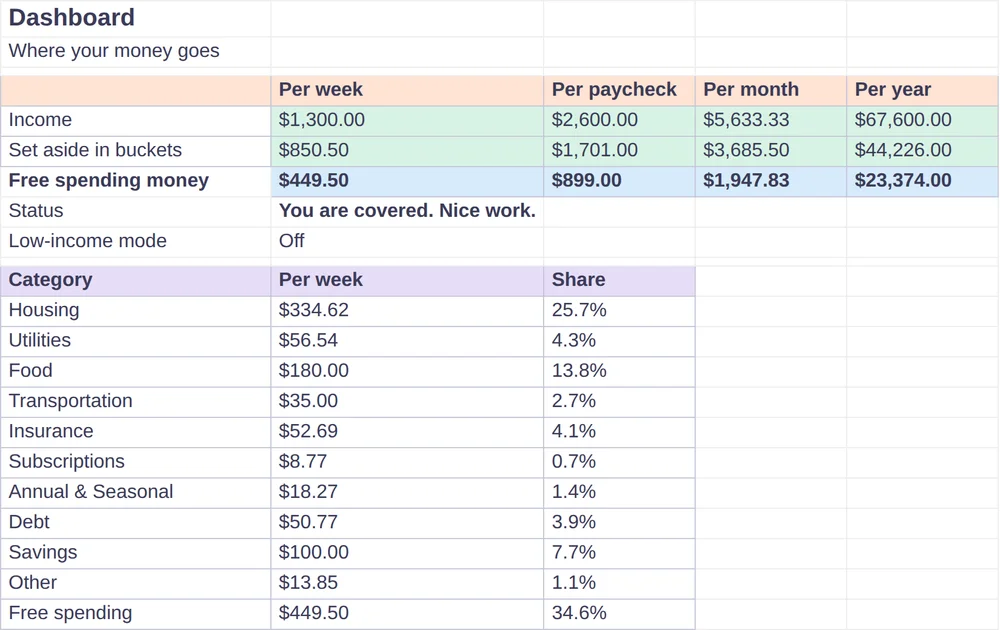
Income for the period − all assigned amounts = 0 (or a small positive buffer).
If the number is negative, trim a bucket or look for more income. If it is positive, give the extra a job.
A quick example
Suppose a biweekly take-home pay of 2,100:
| Bucket | Per paycheck |
|---|---|
| Rent and utilities | 700 |
| Groceries | 280 |
| Transportation | 150 |
| Insurance and phone | 140 |
| Annual and seasonal costs | 100 |
| Debt payments | 200 |
| Savings | 150 |
| Spending money | 180 |
| Total | 1,900 |
| Left to assign | 200 |
The 200 still needs a job: more to debt, a new savings bucket, or a buffer. The exact numbers will differ for every household. The method stays the same.
What about percentage rules?
Rules like 50/30/20 are useful for a first sketch, because they show roughly how a budget could be shaped. They are not a plan, though, because your actual rent and debts will not follow a formula. A paycheck budget built from your real bills is more accurate than a percentage, and you can still compare the result with a percentage rule afterward.
Keep it going
A paycheck budget works when you repeat it. A short routine helps:
- On payday: move money to the bills and buckets the paycheck covers.
- Mid-period: check your spending bucket and adjust.
- Monthly: compare what you planned with what you spent. The Monthly Tracker in Bucket Budget Planner has a tab for each month for exactly this.
Doing it in a spreadsheet
Bucket Budget Planner is built around this method. On the Setup tab you choose how often you are paid and list your income sources. On the Buckets tab you add each bill or goal with its amount and how often it is due. The sheet converts each bucket to a per-week, per-paycheck, per-month and per-year amount. The Dashboard totals everything and shows what is left to spend per week and per paycheck, with a warning if you are over budget. The included web app has a Paycheck Splitter that shows which bills each paycheck covers, based on due dates and your pay frequency.
If you want a plan with a column for every paycheck in the year, see the paycheck planner guide. For a template aimed at the biweekly schedule, see the biweekly budget template. If your income is uneven, read low income and variable income budgeting.
This guide is general information, not financial advice.