Net Worth Tracker Spreadsheet: How to Build and Update One
A net worth tracker spreadsheet is a table with your assets and debts down the side and a column for each month, where the bottom row shows assets minus liabilities. Once it exists, updating takes five to ten minutes a month, and the chart of that bottom row shows whether you are moving in the right direction.
Why track net worth in a spreadsheet
Apps that link all your accounts are convenient, but they usually involve a subscription and give you access to your data on their terms. A spreadsheet is slower to update but costs nothing beyond the file, lives where you choose and lets you decide exactly what to count. If you want to know the basics first, read how to calculate net worth.
The layout
A simple structure:
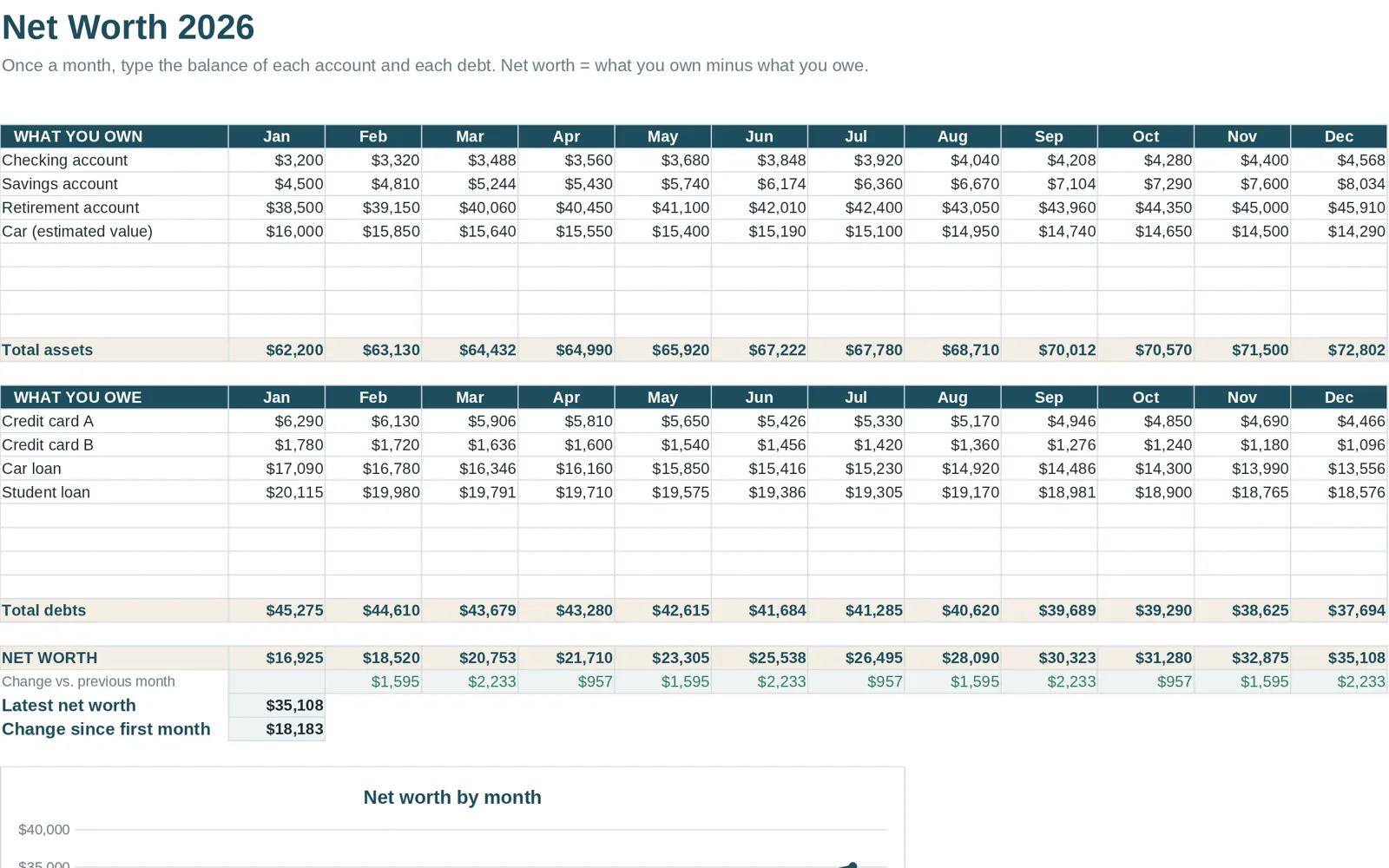
| Jan | Feb | Mar | ... | |
|---|---|---|---|---|
| Assets | ||||
| Checking | ||||
| Savings | ||||
| Retirement accounts | ||||
| Other investments | ||||
| Home (estimated value) | ||||
| Vehicle (estimated value) | ||||
| Total assets | sum | sum | sum | |
| Liabilities | ||||
| Mortgage | ||||
| Car loan | ||||
| Student loans | ||||
| Credit cards | ||||
| Total liabilities | sum | sum | sum | |
| Net worth | assets minus liabilities | |||
| Change from last month | difference | difference |
Leave the cells blank for you to fill in. Format negative changes in red and positive in green so the direction is obvious.
The formulas you need
- Total assets: `=SUM(B3:B8)` (adjust the range to your rows).
- Total liabilities: `=SUM(B11:B14)`.
- Net worth: `=B9-B15`.
- Change from last month: `=C16-B16`.
To chart the trend, select the net worth row and the month headers and insert a line chart.
The monthly routine
- Choose a fixed date. The first of each month works well.
- Open each account. Note the balance.
- Update estimated values for property and vehicles once or twice a year, not monthly, unless something big changed.
- Enter the figures in the new column.
- Look at the change. What caused it: saving, debt payments, a market move?
- Write a one-line note. "Paid down card by 400" helps you remember later.
Handling the tricky items
Your home
Use an estimated market value and the mortgage balance as a separate liability. Update the value occasionally from recent comparable sales, not every month.
Retirement accounts
List the account value as shown. If you want to account for taxes or penalties on withdrawals, add a note or a separate line, and keep the method the same every month.
Vehicles
Use an estimated resale value, which will usually fall each year.
Credit cards
If you pay the card in full each month, use the balance on the date you update. Be consistent about which date.
Money owed to you
Include it only if you are confident it will be repaid. Otherwise leave it off.
What the number can and cannot tell you
A net worth trend shows progress that a monthly budget does not: a month where you spend exactly what you planned still raises your net worth if you pay down debt or save. But it can be noisy because of market swings, and it says nothing about cash flow, which is whether you can pay this month's bills. Use net worth alongside a monthly budget; see the budget spreadsheet guide for how to set one up.
Connect it to the rest of your plan
Net worth is the result of decisions in your budget: how much goes to savings, how fast you pay debts and what you spend on things that lose value. A yearly plan shows these in advance; see the yearly budget template guide.
The tab inside Clear Budget Planner
Clear Budget Planner includes a Net Worth tab in its 21-tab workbook. It is a calculator where you update your assets and liabilities monthly to see the number change over time. It works with the other tabs: the Debt Payoff tab can use either the Snowball or Avalanche method and shows a payoff date and total interest, and the Dashboard and Year Summary roll up your year. You get a blank workbook and a filled-in example, plus a Getting Started guide for Google Sheets and Excel.
This page is general information for organizing your finances. It is not investment, tax or financial advice.